Device model
The exact model narrows the part family, calibration needs, adhesive work, and test steps before a quote is useful.
FixMY prices repair work after the device, exact symptom, parts, and diagnostic risk are clear. Clean screen and battery jobs can often be estimated quickly; liquid, no-power, charging, storage, and board-level symptoms need closer review before pricing is firm.
The exact model narrows the part family, calibration needs, adhesive work, and test steps before a quote is useful.
Some repairs have part choices or extra setup work. FixMY separates those options when they change the quote.
A clean screen job is different from frame damage, swelling, liquid exposure, no-power behavior, or multiple symptoms.
Charging, liquid, data, overheating, and no-power requests often need inspection before the quote should be trusted.
The same device can be a direct quote, a parts-dependent quote, or a diagnostic request depending on power state, liquid exposure, and visible damage.
Clean screen damage, battery replacement, known part requests, and model-specific parts can often be estimated after FixMY has the exact model and condition notes.
Some symptoms should start as diagnostics because the visible problem may not be the root failure.
Some repairs depend on part tier, calibration, adhesive work, board condition, or special-order availability.
These notes explain what usually makes a request straightforward, what adds diagnostic time, and what details FixMY needs before confirming the quote.
Screen jobs usually price cleanly once the exact model and part tier are confirmed.
Usually a straightforward bench repair when parts are available.
Battery jobs usually quote cleanly after the model and battery quality path are confirmed.
Often a simpler repair path than board-level or liquid-damage work.
Charging problems can be a port, battery, board, cable, or debris issue, so pricing often needs a quick inspection first.
Quote speed is usually fast, but the final repair path depends on what caused the charging failure.
Camera repairs usually quote cleanly after the model and affected lens or module are confirmed.
Usually a direct quote path unless the housing or board also took impact.
Back glass repairs often depend on the model, tooling, and whether additional housing damage is present.
Usually more labor-sensitive than a front-screen replacement.
Audio hardware issues usually quote cleanly once the exact device and failed component are confirmed.
Usually a direct quote path unless the issue traces back to liquid or board damage.
Face ID, fingerprint, and front-sensor repairs can depend on the exact damaged component and whether a previous repair is involved.
Often needs a careful confirmation step before promising the repair path.
No-power issues can come from the battery, charge path, board, or liquid exposure, so a final quote usually follows diagnosis.
Best handled as a diagnostic path before promising a repair total.
Before and after examples help explain why model, symptom, and diagnostic risk change the pricing conversation.
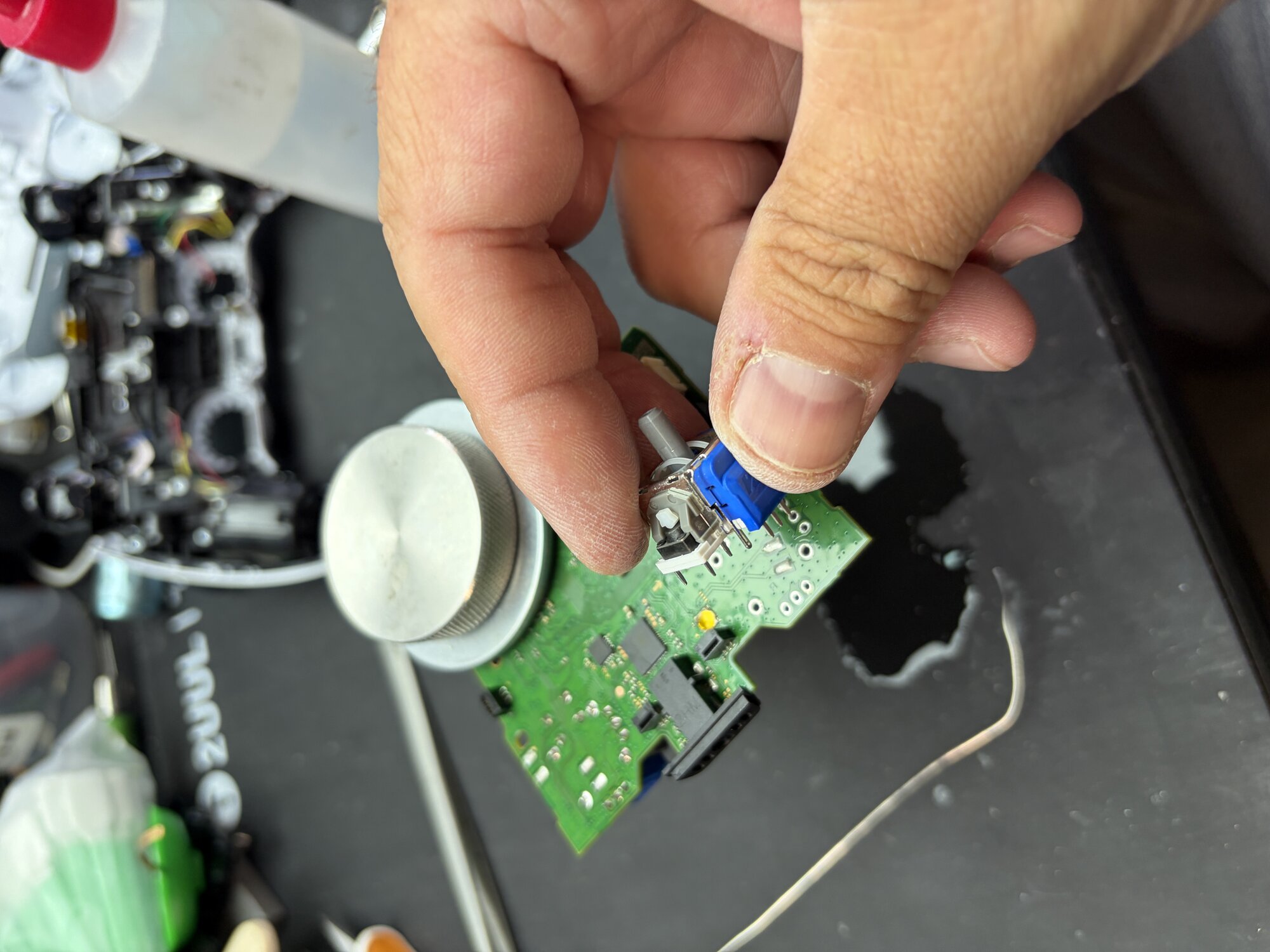
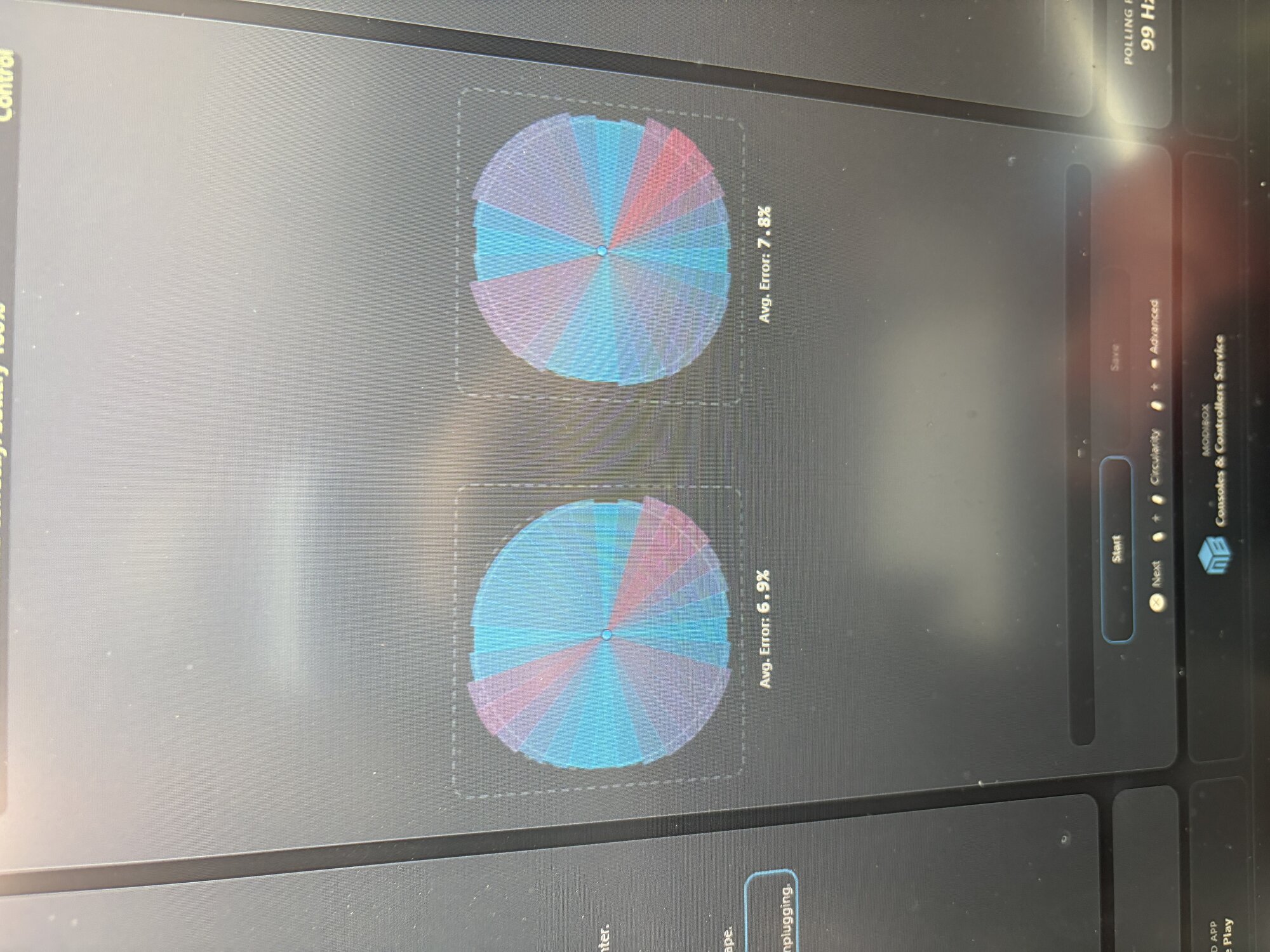
A customer from Sandy, Utah brought in a PlayStation 5 DualSense controller with severe stick drift that remained even after cleaning and software calibration attempts. We replaced the worn analog modules with precision TMR Hall Effect sticks, eliminating the drift and restoring smooth, accurate control.
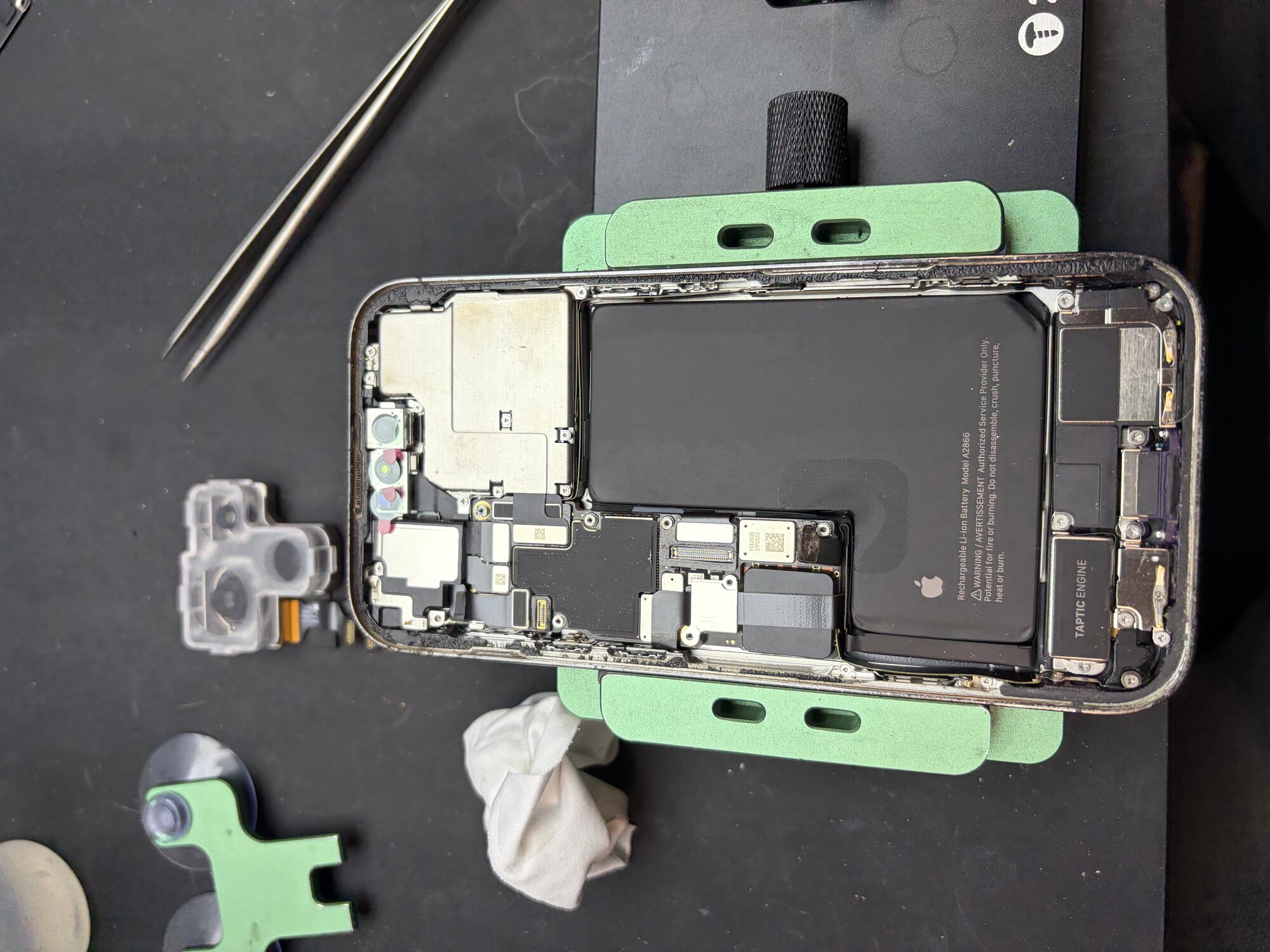
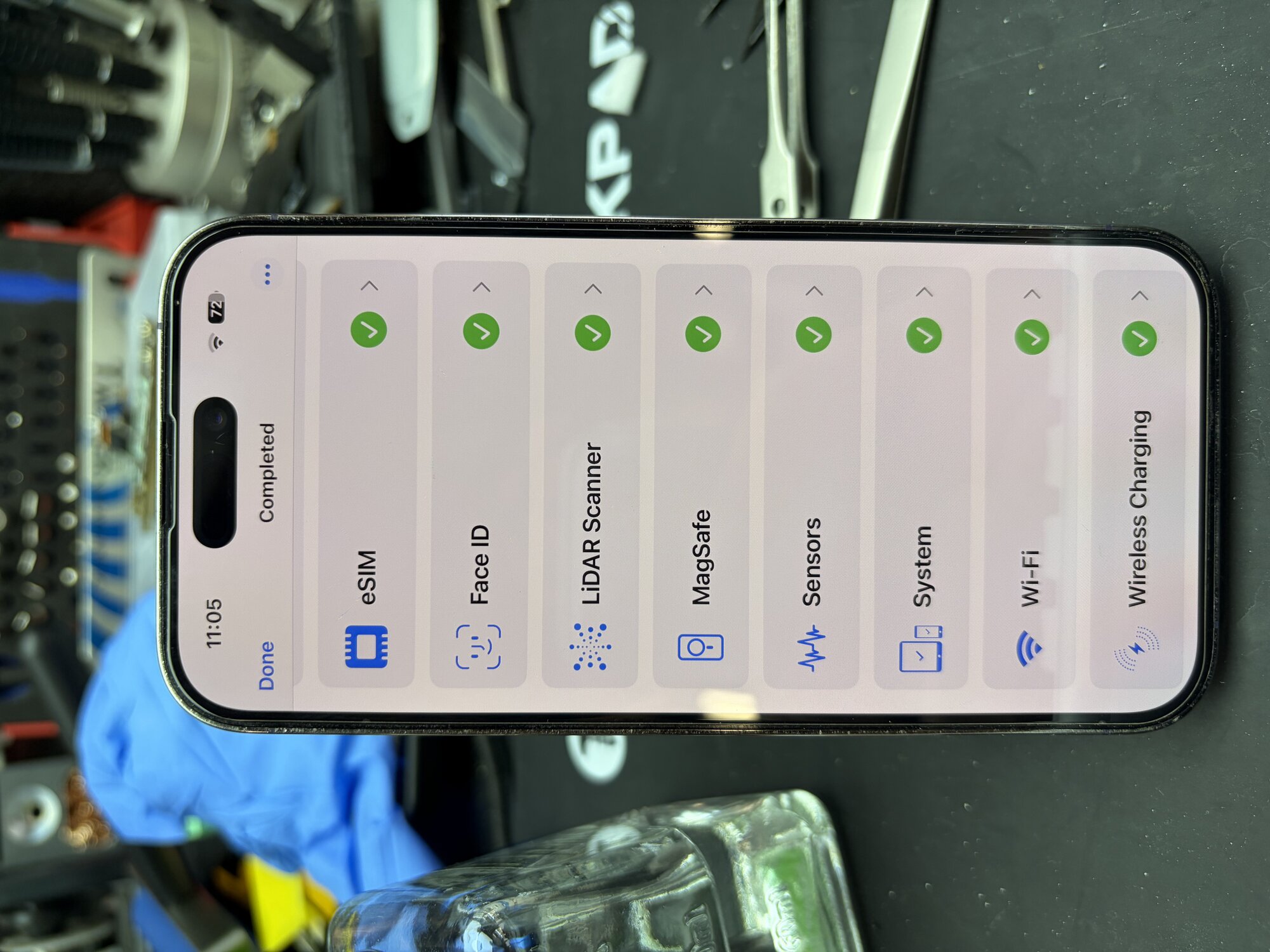
An iPhone 14 Pro customer from Orem, Utah was experiencing rear camera issues affecting photo and video quality. After diagnosis, we replaced the faulty rear camera assembly, restored full camera functionality, and completed post-repair testing.
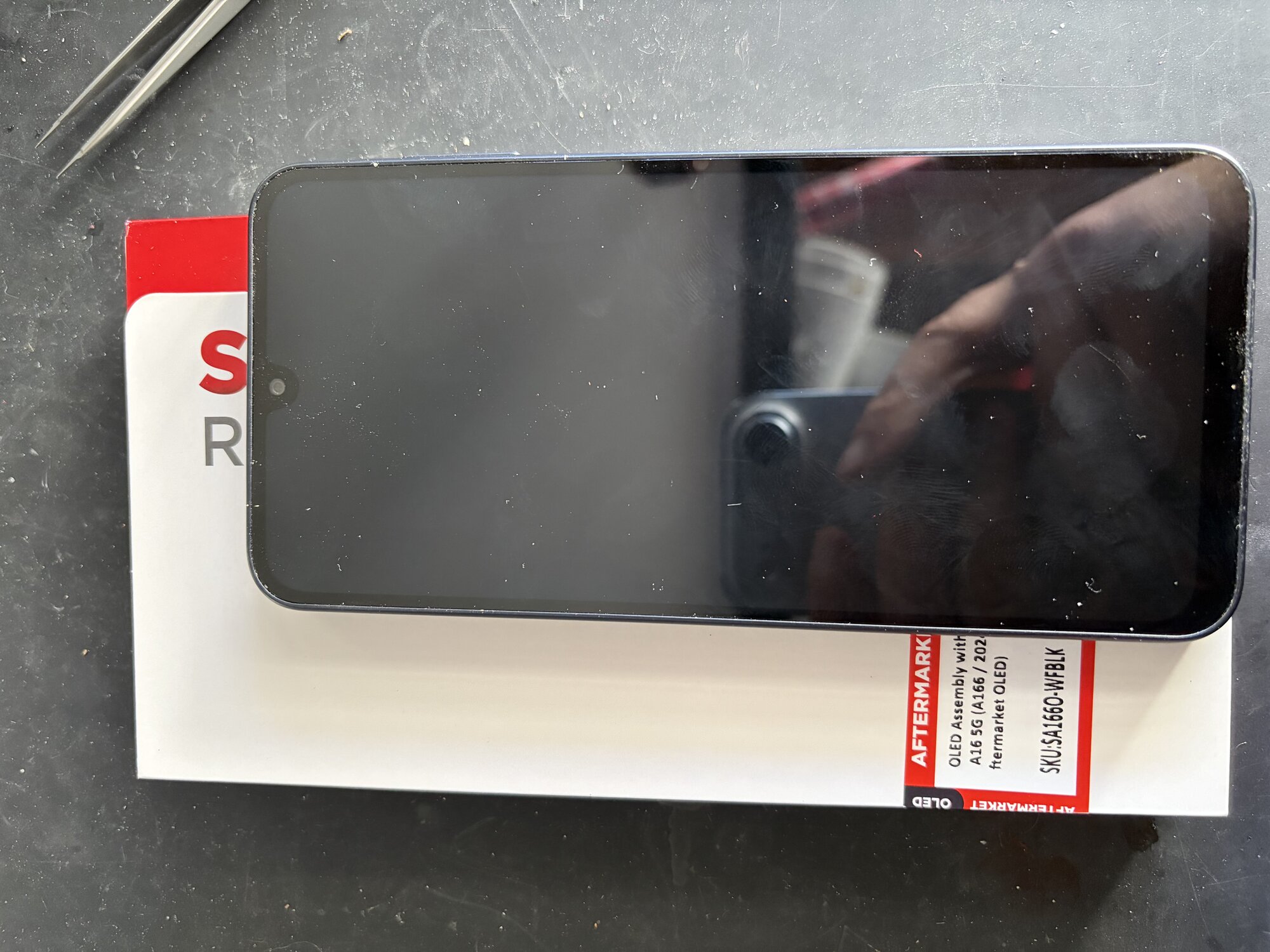
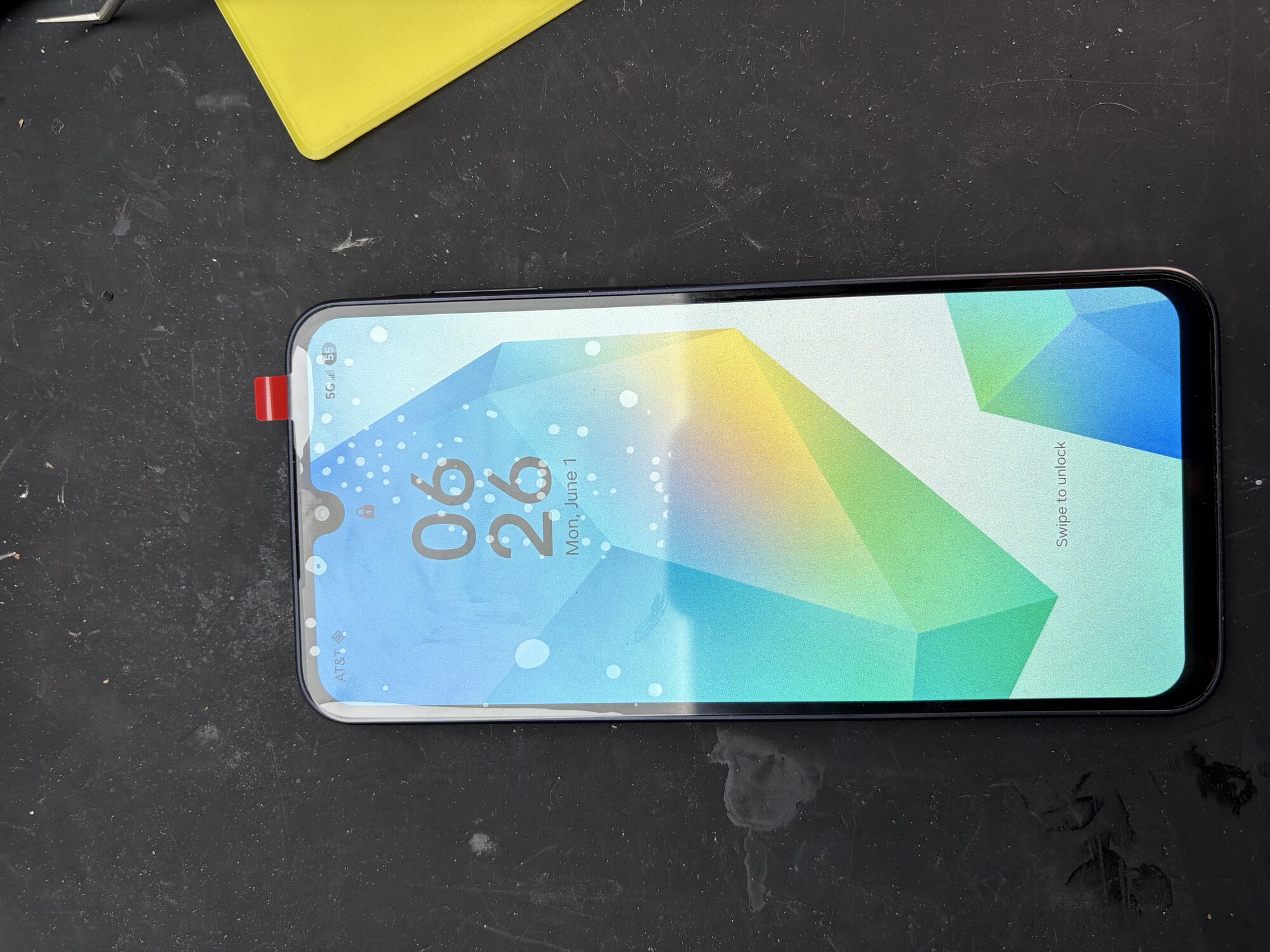
A customer from South Jordan, Utah brought in a Samsung Galaxy A16 5G with a completely black display. After diagnosing the device and confirming the display FPC connector was functioning properly, we determined the OLED panel itself had failed. We installed a premium aftermarket OLED assembly, fully tested the device, and restored normal display and touch functionality, getting the customer back up and running the same day.
These are planning ranges, not guarantees. FixMY confirms timing after reviewing the model, symptom, parts, and current workload.
Many clean phone screen and battery repairs can be same-day or next-business-day when the part is available. Charging, liquid, no-power, biometric, and multi-symptom repairs usually need inspection before timing is firm.
Phone brand and exact model, Screen, battery, charging, camera, speaker, or no-power symptoms, Whether the phone was dropped, bent, or exposed to liquid.
Console HDMI, power, thermal, storage, and controller repairs commonly need two to five business days after diagnosis and parts confirmation. Board-level damage or special-order parts can take longer.
Console model and generation, HDMI, no-video, no-power, overheating, storage, update, disc, or controller symptoms, Whether the console was dropped, moved while plugged in, or exposed to liquid.
Tablet repairs often take one to three business days after model and part availability are confirmed. Larger displays, adhesive-heavy repairs, and special-order parts can add time.
Tablet brand, size, generation, or model number, Whether glass, display image, touch, battery, charging, or buttons are affected, Whether the tablet is used for school, work, or child/family use.
Computer screen, battery, keyboard, and charger-path repairs often need one to five business days depending on parts. Performance, no-power, storage, and data concerns should start with diagnosis.
Laptop or desktop brand and model, Whether the issue is screen, battery, charging, keyboard, storage, software, heat, or no power, Whether important files need to be protected before repair.
A useful pricing request includes the model, symptom, power state, damage history, photos when visible, and urgency.
Send the brand, model, generation, size, or model number if you can find it.
Describe the first thing that failed: screen, battery, charging, power, data, heat, audio, or controls.
Tell FixMY whether it powers on, shows a logo, charges, overheats, loops, or stays completely dead.
Mention drops, bending, liquid exposure, swelling, previous repairs, or recent charger/cable changes.
Photos help when damage is visible. Include whether the repair is urgent or quote-first.
Do not send passcodes, private credentials, payment details, or unnecessary private notes in public forms.
These answers explain why FixMY asks for model details, symptom history, and diagnostic context before treating a quote as final.
Yes. Use the quote-first option when you want pricing guidance before choosing an appointment or diagnosis.
Because model, part option, frame condition, liquid exposure, battery condition, and hidden failures can change the real repair.
Use the repair assistant or call (801) 406-9003 if you would rather talk through the device first.